
.webp)

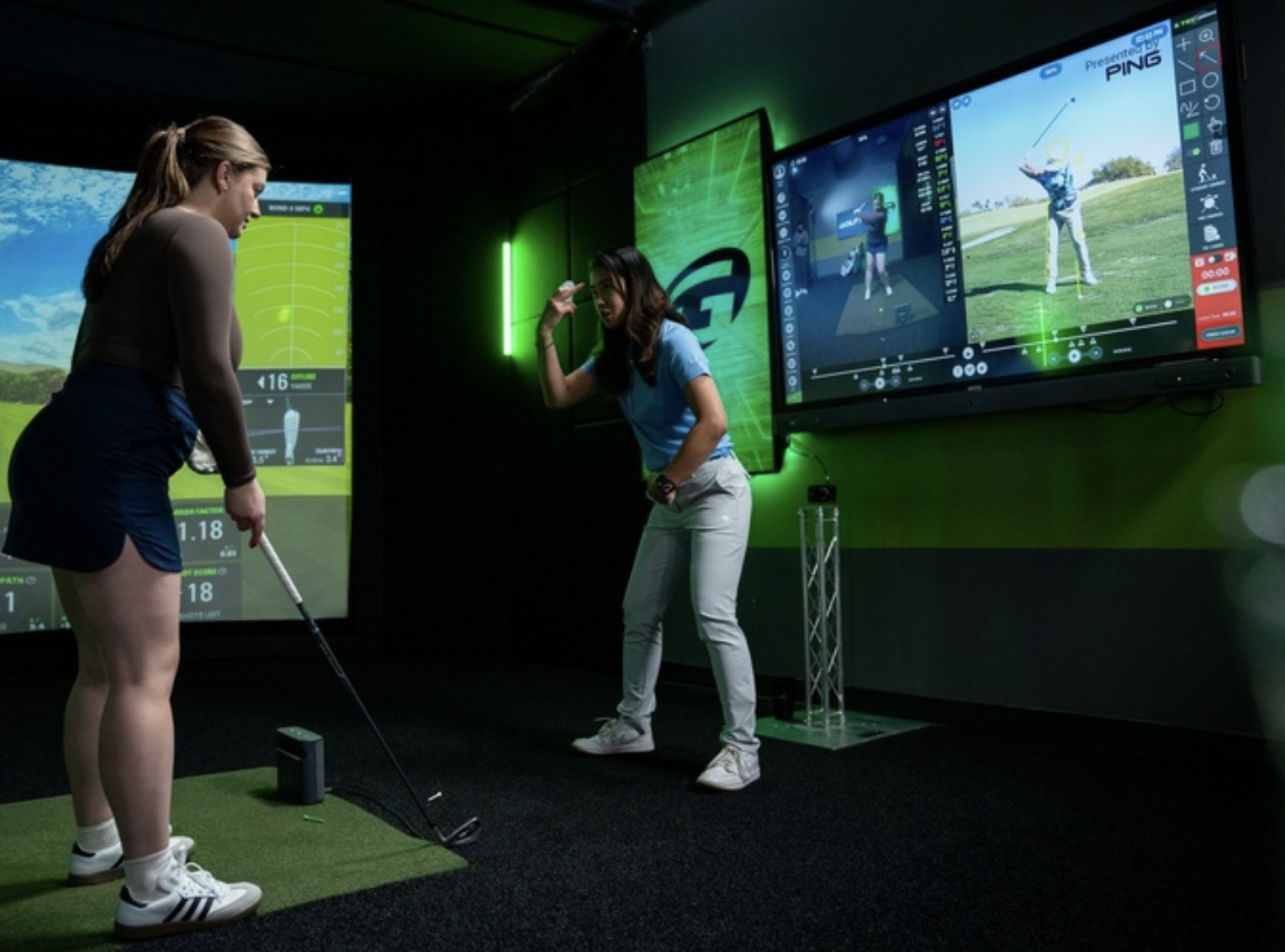

Most golfers try to improve their game by changing their swing or buying new clubs, but they rarely do both at the same time. This is where most progress hits a wall. At GOLFTEC, we’ve connected the two: using your actual swing data to ensure your clubs aren't just 'the latest model,' but perfectly calibrated to how you move. Whether you’re dialing in your current bag or looking for a custom-fit upgrade, we ensure your equipment works with your technique, not against it. Stop treating your lessons and your equipment as two separate worlds—it’s time to see how they perform as one.
Table of Contents:
If you’ve ever wondered what actually happens during a golf lesson at GOLFTEC, you’re not alone. It’s one of the most common questions golfers ask before booking their first session.
The short answer: GOLFTEC lessons are built around data, video, and expert coaching to deliver a personalized improvement plan—not guesswork or one-size-fits-all tips.
Here’s what you can expect, step by step.
(Learn more on how we've helped BEGINNER, WOMEN, seasoned golfers improve their game)
Step 1: A Clear Starting Point for Your Game
Every GOLFTEC lesson begins by understanding your goals and challenges. Whether you’re trying to fix a slice, gain distance, or become more consistent, your coach starts by learning what you want to improve—and why.
For most golfers, this starts with a Game Evaluation, which establishes a baseline for your swing using video and launch monitor data. You can learn more about what happens during this first session in The First Lesson You’ll Ever Take: Game Evaluation at GOLFTEC.
This ensures every lesson that follows is focused on real results, not generic swing advice.
Step 2: OPTIMOTION
One of the biggest differences in a GOLFTEC lesson is high-speed video swing analysis, which allows your coach to capture your swing from multiple angles and break it down frame by frame.
Instead of relying on feel alone, golfers use advanced video and motion technology to see exactly what’s happening at key points in the swing. This visual feedback removes guesswork and accelerates improvement. You can learn more about how this process works in How GOLFTEC Technology Helps Golfers Improve.
Video swing analysis helps golfers improve faster because:
- Cause and effect are visible in real time, making swing changes easier to understand
- Corrections are clearer and more repeatable, reducing confusion between lessons
- Progress is measurable from lesson to lesson, so improvement isn’t based on feel alone
By combining video feedback with expert coaching, golfers gain clarity and confidence. You’re never guessing what to fix—you can see it, understand it, and repeat it.
Step 3: Data-Driven Feedback
GOLFTEC lessons use advanced launch monitor technology to measure key swing and ball-flight data, including:
- Club speed
- Ball speed
- Launch angle
- Spin rate
- Shot direction
This data helps your coach identify why certain shots happen and which adjustments will create the biggest improvement.
Step 4: Personalized Instruction
Based on your swing data and video, your coach creates a plan tailored specifically to you. Rather than overwhelming you with swing thoughts, GOLFTEC coaches focus on:
- One or two priority changes at a time
- Simple, repeatable drills
- Movements that fit your body and ability
This approach makes improvement easier to understand—and easier to repeat.
Step 5: Guided Practice and Drills
During the lesson, you’ll practice changes with your coach’s guidance. Drills are designed to help you feel the correct movement and build confidence faster.
You’ll also leave knowing exactly what to work on between lessons, making your practice time more productive.
Step 6: A Plan for Ongoing Improvement
At the end of your lesson, your coach helps outline next steps, which may include:
- Continued lessons
- Focused practice plans
- Club fitting recommendations if equipment is part of the issue
Each lesson builds on the last, creating a clear path to improvement.
Why Golfers Choose GOLFTEC Lessons
Golfers choose GOLFTEC because lessons combine:
- Expert PGA-certified coaches
- Advanced video and launch monitor technology
- A structured, personalized improvement plan
Instead of guessing, golfers gain clarity—and results they can see.
Ready to Experience a GOLFTEC Lesson?
If you’re ready to improve faster with data-driven coaching and personalized instruction, a GOLFTEC lesson is the perfect place to start.
Book your Game Evaluation and see what focused coaching can do for your game.

Play the best golf of your life. GOLFTEC Coaches use cutting-edge tech and proven methods to level up your game fast.
Book a Lesson
Play Better!
Book a Fitting
Play Better!


